
 By admin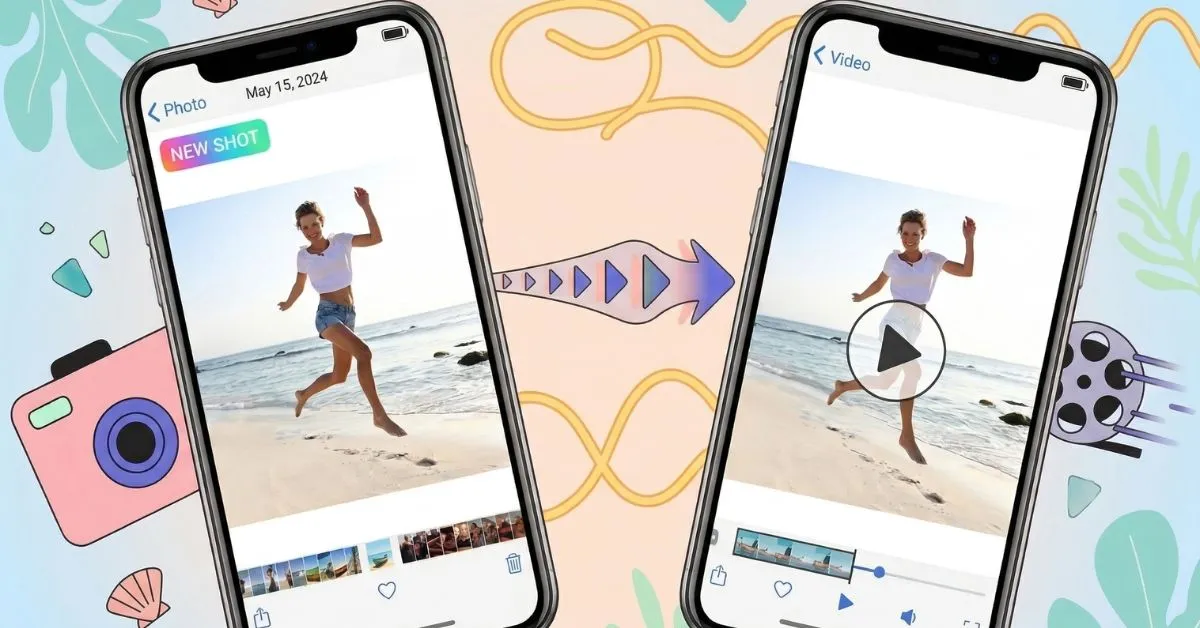
Do you have hundreds of photos sitting on your phone, just collecting dust?
Maybe it’s your child’s first birthday. A road trip with old friends. A wedding day that flew by too fast. Those moments deserve more than a folder no one opens. They deserve to be felt again.
That’s exactly why people are turning their photos into videos. A video brings your memories to life. It adds music, movement, and emotion. It tells a story in a way a still photo simply cannot.
The best part? You don’t need to be a professional editor. You don’t need expensive software. Anyone can do this today, in minutes, right from their phone or laptop.
Let’s walk through everything you need to know.
A video diary is a personal video that tells your story through photos, clips, music, and captions. Think of it as a living photo album.
A regular photo album is static. You flip through it once, maybe twice, and put it away. A video diary is different. It plays out like a short film. It has a beginning, a middle, and an end. It makes the viewer feel something.
You could create a video diary of your baby’s first year. Or a summer vacation. Or even a tribute to someone you love. Whatever the memory, a video diary turns it into something you will actually watch again and again.
There are real reasons why photo-to-video content has exploded in popularity. Here is what makes it so powerful.
Better engagement. Videos get far more attention than static images on social media. People stop scrolling for a video. They keep scrolling past a photo.
Stronger storytelling. When photos play in sequence with music, they tell a story. Your viewer feels the journey, not just sees it.
Easy sharing. One video is easier to send than fifty photos. Your family and friends can watch it instantly, anywhere.
Emotional impact. Music plus visuals plus memories equals something that genuinely moves people. A good video diary can make someone laugh, cry, and feel grateful all at once.
Long-lasting keepsake. Unlike printed photos that fade or get lost, a video file lives on your drive, your phone, and the cloud forever.
This is the part you came for. Follow these steps and you will have a beautiful video diary ready to share.
Go through your gallery and pick your best shots. You do not need perfection. You need photos that tell a story. Aim for 15 to 30 photos for a short, punchy video.
To turn photos into video, you’ll need a platform that supports this feature. Invideo lets you upload your images, customize the video with transitions, music, and voiceovers, and gives you full control over the creative process.
Open your chosen tool and upload your selected photos. Most platforms let you drag and drop or import directly from your phone gallery. Arrange them in the order you want the story to flow.
Templates are your best friend as a beginner. They handle the layout, timing, and style automatically. If you feel confident, build from scratch for a fully personal touch.
Transitions are the small animations between each photo. A soft fade or a gentle slide feels natural. Avoid flashy, distracting effects. Smooth transitions keep the viewer focused on the story.
This is the step that transforms everything. Choose a track that matches the mood of your video. Happy vacation memories need something upbeat. A tribute video needs something soft and emotional. Most tools offer free licensed music libraries.
Add dates, names, or short phrases to give context. Keep text minimal. A caption like “Summer 2022, Lake Tahoe” is enough. You do not need to explain every photo.
Recording your own voice adds a deeply personal touch. Narrate a memory, share a feeling, or simply describe what is happening. Even 30 seconds of your voice makes the video feel more human and real.
Watch the full video before exporting. Check that the timing feels right, the music fits, and no photo stays on screen too long or too short. Two to four seconds per photo is usually perfect.
Export in the highest quality your tool allows. Most platforms offer MP4 format, which works everywhere. Share it on WhatsApp, Instagram, YouTube, or simply save it as a personal keepsake.
You have plenty of great options. Here are five tools worth knowing.
InVideo is a browser-based tool that works well for slightly longer, more polished videos. It has a huge library of templates and music tracks. Great for creating travel memory videos or professional-looking slideshows.
Canva is beginner-friendly and packed with beautiful templates. You can create a photo slideshow video in minutes without any design experience. It has a free plan with solid features and a premium plan for more options.
CapCut is a free mobile and desktop app that is incredibly powerful for its price. It offers auto-sync music, smooth transitions, and trending effects. It is especially popular for creating social media reels and short video diaries.
Animoto was built specifically for photo slideshow videos. It is clean, simple, and produces high-quality results fast. The drag-and-drop interface makes it ideal for first-timers.
Adobe Express brings Adobe’s design quality to a simple, approachable platform. It is perfect if you want your video diary to look premium without needing to learn Premiere Pro. Offers strong customization and clean output.
A few small choices make a big difference in how your video feels.
Pick your best photos, not all of them. Less is more. Forty average photos create a weaker video than fifteen great ones.
Match music to emotion. The music sets the entire mood. Take time to choose the right track. Do not just pick the first free song you find.
Keep the story flowing. Arrange photos in a logical order. Chronological usually works best. Start with the beginning of the experience, build through the middle, and end on a strong final image.
Avoid overloading effects. One or two transition styles throughout the whole video is enough. Mixing ten different effects looks chaotic and amateur.
Keep it short. Most people will not watch a personal video diary longer than three minutes unless they are deeply involved in the story. Aim for one to three minutes for maximum impact.
If your photo collection feels thin or low quality, AI image tools can fill the gap. Our guide on Flux AI image generation covers the best options available right now.
Even simple mistakes can make a great video feel off. Watch out for these.
Too many transitions. Switching styles every few seconds is distracting. It pulls attention away from the memories themselves.
Low-quality images. Blurry or dark photos hurt the overall feel. If a photo is unclear, leave it out.
Wrong music choice. Using upbeat party music for a quiet family tribute is jarring. Always match energy to emotion.
Over-editing. Heavy filters and excessive color grading make photos look unnatural. Keep it clean and close to the original colors.
Ignoring the story order. Random photo order confuses the viewer. Always think about the narrative before you start building.
Not sure what to create first? Here are some ideas to get you started.
Travel memories. Document a trip through its best moments. Add location captions and a travel-themed soundtrack.
Birthday videos. Compile a year of photos for someone’s birthday. Add a personal voiceover message. It will mean more than any gift.
Wedding slideshows. Create a beautiful keepsake from wedding day photos. Play it at the reception or send it to family who could not attend.
Baby milestones. Month-by-month photos of a baby’s first year make one of the most emotional videos you will ever create.
Social media reels. Turn a recent photoshoot or event into a shareable reel. Short, music-synced photo videos perform extremely well on Instagram and TikTok.
Here is the honest truth. Photos capture a moment. Videos make you relive it.
When you look at a photo, you remember. When you watch a video diary, you feel. That is a meaningful difference. The combination of visuals, music, movement, and narration activates emotions in a way that a still image simply cannot replicate.
People share videos far more than photos. They rewatch videos. They save them. They show them to others. A photo gets a like. A video gets a comment that says “this made me cry.”
That emotional connection is exactly why creating video diaries from photos has become one of the most popular personal content trends today.
Your photos are already telling a story. They just need the right format to be heard.
Turning photos into a video diary is one of the simplest, most rewarding things you can do with your memories. You do not need experience. You do not need a budget. You just need a few good photos, a free tool, and a little bit of intention.
Start small. Pick ten of your favorite photos from any moment in your life. Open Canva or CapCut. Add a song you love. Export it and watch it back.
You will understand immediately why this matters.
Your memories deserve more than a folder. Give them a story.
FAQs
How can I turn photos into videos for free?
Tools like CapCut, Canva, and Animoto all offer free plans that let you create photo slideshow videos without spending anything. CapCut is completely free with no watermark on most exports.
Which app is best for making video diaries?
For beginners, Canva and CapCut are the easiest to use. For more polished results, InVideo and Adobe Express offer greater control and quality.
How many photos do I need to make a good video?
Anywhere from 10 to 30 photos works well for a short video diary. Quality matters more than quantity. Choose photos that move the story forward.
Can I add my own music to a photo video?
Yes. Most video diary tools allow you to upload your own audio files alongside their built-in music libraries. Just ensure you have the rights to use the music if you plan to share publicly.
How long should a video diary be?One to three minutes is the sweet spot for personal video diaries. Short enough to hold attention, long enough to tell a complete story.
Meta Details
Meta Title (55 characters): Turn Photos into Videos: Create Your Video Diary
Meta Description (150 characters): Learn how to turn photos into videos easily. Create emotional video diaries with music, captions, and effects using free tools. Beginner-friendly guide.